WordPress Maintenance for Small Business That Pays

A customer finds your business on Google, taps through on their mobile phone and is met with a slow page, an error message or a contact form that does not send. They will not wait for a fix. They will call the next business. That is why WordPress maintenance for small business is not background admin. It protects the enquiries, credibility and search visibility your website is supposed to create.
For local service businesses, a website is often doing its hardest work outside opening hours. It needs to explain what you do, prove that you are trustworthy and make it easy for someone to get in touch. Maintenance keeps those essential jobs working properly.
What WordPress maintenance actually covers
WordPress is a flexible platform, but it is made up of several moving parts: the core WordPress software, your theme, plugins, website hosting, forms, analytics tools and security measures. Each part can be updated independently. When one is neglected, it can affect the rest.
Good maintenance is not simply pressing the update button once a month. Updates can close security gaps and fix bugs, but they can also clash with an older plugin or custom feature. A responsible process checks that the website still looks right and that key actions still work after changes are made.
For a typical small business website, this means keeping software current, taking reliable backups, monitoring security, checking performance and testing the customer journey. It also means spotting problems before a potential customer does.
A maintenance plan should cover four practical areas:
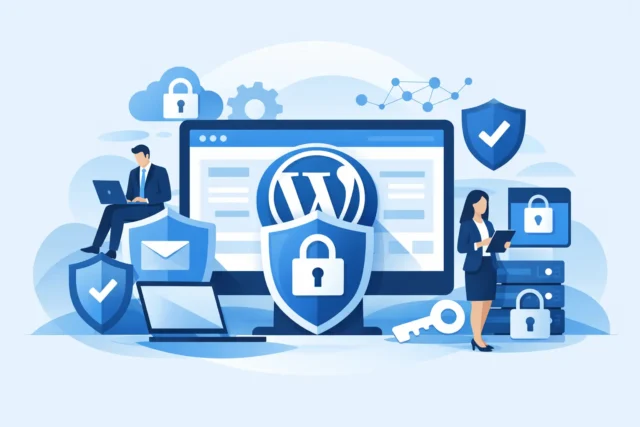
- Security and updates: WordPress core, plugins and themes are reviewed and updated carefully, with known vulnerabilities addressed quickly.
- Backups and recovery: Copies of the site and database are stored separately, so there is a realistic way back if an update fails, a server problem occurs or the site is compromised.
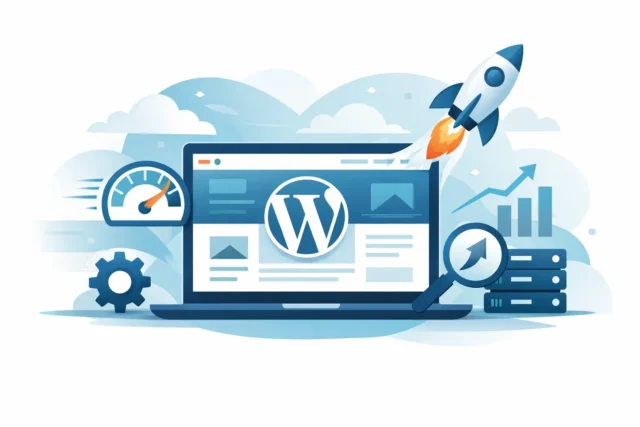
- Performance and uptime: The site is checked for speed problems, broken pages and periods when it is unavailable.
- Conversion checks: Contact forms, phone links, booking tools, quote requests and tracking are tested so enquiries do not disappear unnoticed.
The final point is where many maintenance packages fall short. A site can be technically online while still losing business. If a form fails silently, a mobile button is hard to use or a key service page has vanished from Google, the commercial impact is real.
Why neglected websites cost local businesses customers
A slow or dated website does more than look unprofessional. It creates doubt at the exact moment a customer is deciding who to contact. For trades, accountants, salons, consultants and other local services, trust is often won in a few seconds. Clear information, fast pages and a working contact route make it easier for a visitor to choose you.
Security is another concern. Small businesses sometimes assume hackers only target large companies. In reality, automated attacks scan for outdated software at scale. They are not interested in whether you are a large firm in Edinburgh or a family-run business in Fife. They are looking for an easy weakness.
A hacked site can display spam, redirect visitors elsewhere, damage your reputation and take time to clean up. It may also affect search visibility. Recovery is usually more stressful and more expensive than routine prevention.
Search performance can suffer more quietly. Google wants to send users to pages that work well, especially on mobile. Maintenance cannot guarantee rankings, and anyone claiming otherwise is overselling it. But slow loading times, broken internal links, poor mobile behaviour and technical errors can all undermine otherwise solid local SEO work.
WordPress maintenance for small business is not one-size-fits-all
The right level of support depends on what your website does for the business. A five-page brochure site with a simple enquiry form has different needs from a site that takes bookings, sells products or connects to a customer relationship system.
For a straightforward local service website, monthly updates, backups, security monitoring and contact-form testing may be enough. If your site processes payments, holds customer data, runs an online booking system or receives frequent content changes, it needs closer attention. The more critical the site is to daily operations, the less sensible it is to treat maintenance as an occasional task.
There is also a difference between maintenance and improvement. Keeping WordPress updated will not automatically make weak service pages persuasive or turn a low-traffic site into a lead generator. Those jobs need separate strategic work: improving page messaging, strengthening local SEO, adding useful proof and removing friction from the enquiry process.
That distinction matters because it prevents disappointment. Maintenance protects the asset you have. Growth work makes the asset more valuable.
The checks that matter most
A good maintenance routine begins with backup discipline. Backups need to be recent, stored away from the main hosting account and capable of being restored. A backup that has never been tested is a hopeful file, not a recovery plan.
Next come updates. These should be applied in a controlled way, particularly where a site has custom development or several interconnected plugins. After updates, check the homepage, core service pages, mobile layout, navigation and the enquiry route. If your business relies on online bookings, test a full booking journey rather than assuming the calendar is working because it appears on the page.
Performance deserves regular attention too. Large images, outdated plugins, poor hosting and unnecessary scripts can gradually make a website heavier. The issue is rarely one dramatic failure. More often, the site becomes slightly slower over time until mobile visitors begin to leave before they have seen what you offer.
Finally, review the basics a customer sees. Are your opening hours correct? Does the phone number work? Are recent reviews, accreditations and service areas up to date? A website that promotes an old offer or sends enquiries to an unmonitored email address is not being maintained in any meaningful business sense.
When to manage it yourself and when to get support
Some owners can handle light maintenance themselves. If you understand the setup, have a reliable backup system, know how to test changes and can respond quickly to problems, managing a simple site may be reasonable. The trade-off is time and accountability. When something breaks, the responsibility to diagnose and resolve it sits with you.
For many small business owners, that is not a productive use of their week. You may be better placed serving customers, managing a team or quoting for work than working out why a plugin update has disrupted the website header.
External support is particularly worthwhile when your site generates regular enquiries, has been custom built, includes booking or payment features, or has already suffered from poor communication with a previous developer. Look beyond a vague promise of “monthly updates”. Ask what is monitored, how backups are handled, whether forms are tested, what happens after an issue is found and how quickly you will hear about it.
You should also retain control of your important accounts. Your domain, hosting, analytics and website administration should not be locked behind a supplier you cannot reach. A good web partner makes ownership clear and explains matters in plain language.
Make maintenance part of your business protection
The strongest websites are not left alone after launch. They are reviewed, protected and improved as the business changes. That does not mean paying for unnecessary extras or rebuilding the site every year. It means having a sensible plan that matches the value the website brings to your business.
If you are unsure whether your site is being looked after properly, start with a practical question: could a customer find you, understand your service and send an enquiry today without hitting a problem? If you cannot answer confidently, a focused website review can reveal where attention is needed before those gaps cost you another customer. MonoWeb helps local businesses assess those issues clearly, without turning straightforward website care into technical jargon.
More Posts
 Business tips
Google Business Profile Optimisation Service
30 August 2026- 29 August 2026
- Website Tips
How to Speed Up WordPress Website Performance
28 August 2026