How to Automate New Customer Enquiries Well

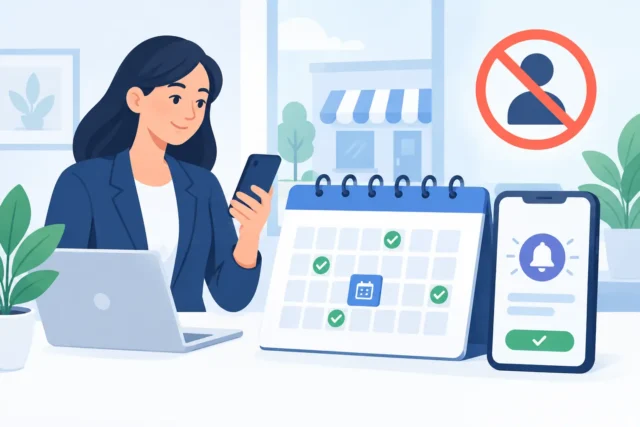
A customer finds your business at 9.15pm, fills in your contact form, then hears nothing until the following afternoon. By then, they may have contacted three competitors. For a local service business, that delay is not an admin issue. It is lost revenue.
To automate new customer enquiries does not mean replacing proper conversations with robots. It means making sure every genuine lead is acknowledged, routed to the right person and given a clear next step before attention moves elsewhere. Done well, automation protects the personal service that smaller businesses are known for.
Why enquiry handling affects sales
Many businesses invest in a new website, local SEO or paid advertising, then allow enquiries to arrive in an unmanaged inbox. The website may be doing its job perfectly, but the follow-up process is costing the business customers.
People making an enquiry are usually comparing options. They want reassurance that you are responsive, professional and able to help with their particular job. A quick, useful response creates confidence. Silence, a generic acknowledgement or a form that disappears into a crowded inbox does the opposite.
This matters particularly for trades, professional services and personal services, where the value of one new client can be significant. Missing two or three good enquiries each month can make a much bigger dent in turnover than owners expect.
Automation is most valuable when it removes repetitive tasks from the first stage of contact. It should not make a potential customer feel processed. The aim is faster, more reliable service, not an elaborate system for its own sake.
Start with the customer journey, not the software
Before choosing tools, map out what should happen from the moment someone submits an enquiry. Keep it simple. What information do you need to know? Who should receive it? How quickly should the customer hear back? What is the appropriate next action – a call, a quotation, a booking link or a request for photos?
A plumber dealing with urgent call-outs needs a different process from a photographer taking wedding bookings. The plumber may need the customer’s postcode, urgency and a phone number, followed by an immediate message setting expectations. The photographer may need event date, venue, guest numbers and budget range before deciding whether a consultation is worthwhile.
If your form asks vague questions and your follow-up is vague too, automation only makes a weak process happen faster. A better workflow begins with a clear definition of a qualified enquiry.
Ask for enough information, but not everything
Long forms put people off, particularly on a mobile phone. Yet a name, email address and open text box may leave your team chasing basic details before they can help.
Choose questions that genuinely affect whether you can take on the work or price it accurately. For many local service businesses, this includes the service required, location, desired timescale and a phone number. A short conditional question can be useful where your services vary widely.
Avoid asking customers to do your internal admin for you. They do not need to understand your categories, workflow or terminology. Write questions in the language they would use when explaining the problem.
Build the first response around reassurance
The first automated email or text should arrive promptly and sound like a real business wrote it. It needs to confirm that the enquiry has been received, set a realistic response time and explain what happens next.
For example, a message could say that the team has received the details, will review them during working hours, and will call or email within one business day. If you offer emergency services, explain clearly how urgent requests should be handled instead. Do not promise a response within an hour if nobody is available to provide one.
This message is also a useful opportunity to reduce friction. If customers commonly need to send photographs, measurements or supporting documents, tell them how to do that. If a consultation is the usual next step, offer a straightforward route to arrange it. The key is relevance. A customer with a leaking pipe does not need a brochure-style email about your company history.
Personalisation helps, but only where the information is accurate. Using someone’s first name and referring to the service they selected can feel attentive. Pretending that a message was personally typed at 11pm when it was not is a poor trade-off for trust.
Route every enquiry to the right place
A central inbox can work for a very small team, but it becomes unreliable as work gets busier. Enquiries get buried beneath supplier emails, invoices and day-to-day correspondence. An automated workflow can send each submission to the appropriate person or shared queue, while keeping a record of what has happened.
For instance, new leads might be added to a simple customer relationship system, labelled by service and area, and assigned to the person responsible for follow-up. A notification can go to email, a team messaging app or both. If an enquiry has not been updated within a set period, a reminder can be triggered.
The best setup depends on the size of your team and the volume of leads. A sole trader may only need a well-built form, instant acknowledgement and a daily reminder. A larger service business may benefit from assigned ownership, follow-up stages and reporting. More software is not automatically better. If the system is difficult to use, staff will work around it.
Make handover visible
One of the most common failures is assuming somebody else has replied. When several people receive the same notification, nobody necessarily owns it.
Give every enquiry a clear status, such as new, contacted, booked, quoted, won or not suitable. This is not about creating paperwork. It makes it possible to see whether leads are being handled and where opportunities are being lost.
It also gives you useful evidence. If a high number of enquiries go cold after a quotation, the issue may be pricing, timing or the quality of the initial sales conversation. If leads are not contacted quickly, the issue is operational. Those are different problems and need different fixes.
Use automation to qualify, not dismiss
Not every enquiry is a good fit. Some are outside your service area, below your minimum job value or for work you do not offer. A sensible workflow can identify these earlier and respond professionally.
That does not mean sending cold rejection messages to everyone who does not fit a perfect profile. Local businesses build their reputation through how they treat people, including those they cannot help. Where appropriate, explain the limitation plainly and offer a useful next step, such as asking them to contact a more suitable type of provider.
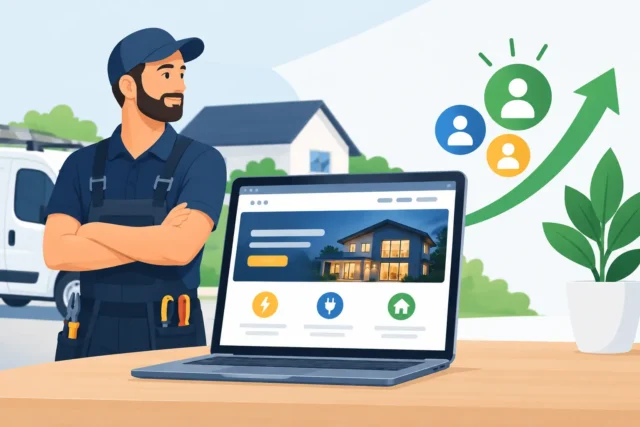
For strong prospects, automation can prioritise rather than replace human contact. A high-value commercial enquiry, a request from an ideal location, or a customer ready to book should be flagged for fast personal follow-up. This is where a website becomes a business asset rather than a digital brochure: it helps your team spend attention where it is most likely to produce work.
Check the workflow as a customer would
Automations often fail quietly. A form may stop sending after a website update. Messages may land in spam. A notification may go to a former employee. An integration can appear connected while failing to pass key information across.
Test the full journey regularly, especially after changing your website, email provider or booking process. Submit an enquiry on a mobile phone. Check how quickly the acknowledgement arrives, whether it is easy to understand, where the lead is recorded and whether the right person is alerted.
You should also review the quality of enquiries, not simply the number. If a form generates plenty of low-value or irrelevant requests, look at the wording, service pages and questions people see before submitting it. Better qualification at the website stage can save hours of follow-up later.
Keep the human part human
Automation can acknowledge a lead in seconds, collect essential details and prompt your team to act. It cannot listen properly to a complicated situation, build confidence around a major purchase or deal with an unhappy customer in the way a capable person can.
Use it for the predictable work. Keep people involved at the moments that need judgement, reassurance and a genuine conversation. That balance is particularly valuable for Fife businesses competing on trust rather than trying to outspend larger companies.
If your website is producing enquiries but the follow-up feels inconsistent, start by reviewing the first hour after a form is submitted. A clear process there can turn more existing website traffic into real conversations, booked work and paying customers.
More Posts
 22 October 2026
- Business tips, Website Tips
How to Reduce Missed Appointments for Local Firms
20 October 2026 - Business tips, Website Tips
Electrician Redesign Results That Win More Enquiries
19 October 2026